Dictation Daddy Review 2026: Pricing, Medical Mode
Dictation Daddy is a cloud dictation service that runs on Mac, Windows, Android and as a Chrome extension, and it sells itself as the Dragon alternative. What separates it from the rest of the category is a medical mode with clinical terminology in the base price, sold against Dragon Medical rather than against the pile of Whisper wrappers.
We build Kana, which competes with it for ordinary work dictation and does not compete with it at all for the clinical case.
Short answer: if you dictate clinical notes, or you need one dictation tool across a Mac, a Windows machine, an Android phone and a browser, Dictation Daddy is the right category and Kana is not in it. If you dictate ordinary text on an Apple Silicon Mac and want the audio to stay on the machine, you are paying a subscription for reach you will not use.
What Dictation Daddy actually is
You press a key, speak, and the text lands at your cursor in whatever application you were already in. Recognition happens on the company’s servers, and the site names Whisper and Soniox as the models behind it. Its own marketing claims 96 to 98 percent accuracy from those models, which is a claim about the models rather than a measurement of your microphone in your office.
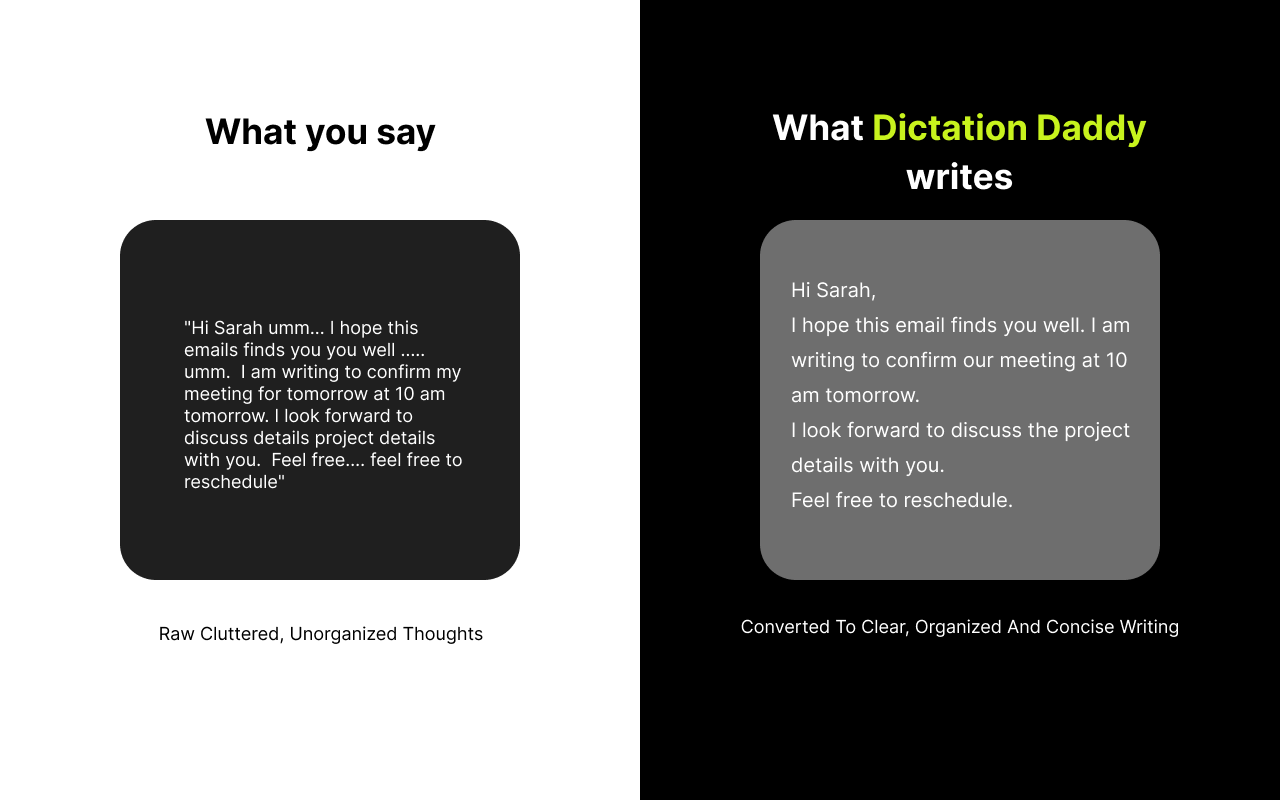
On top of the raw transcript sits a cleanup pass. The pitch is that you can ramble and it will produce something you would be willing to send.
Source: Dictation Daddy (chromewebstore.google.com)
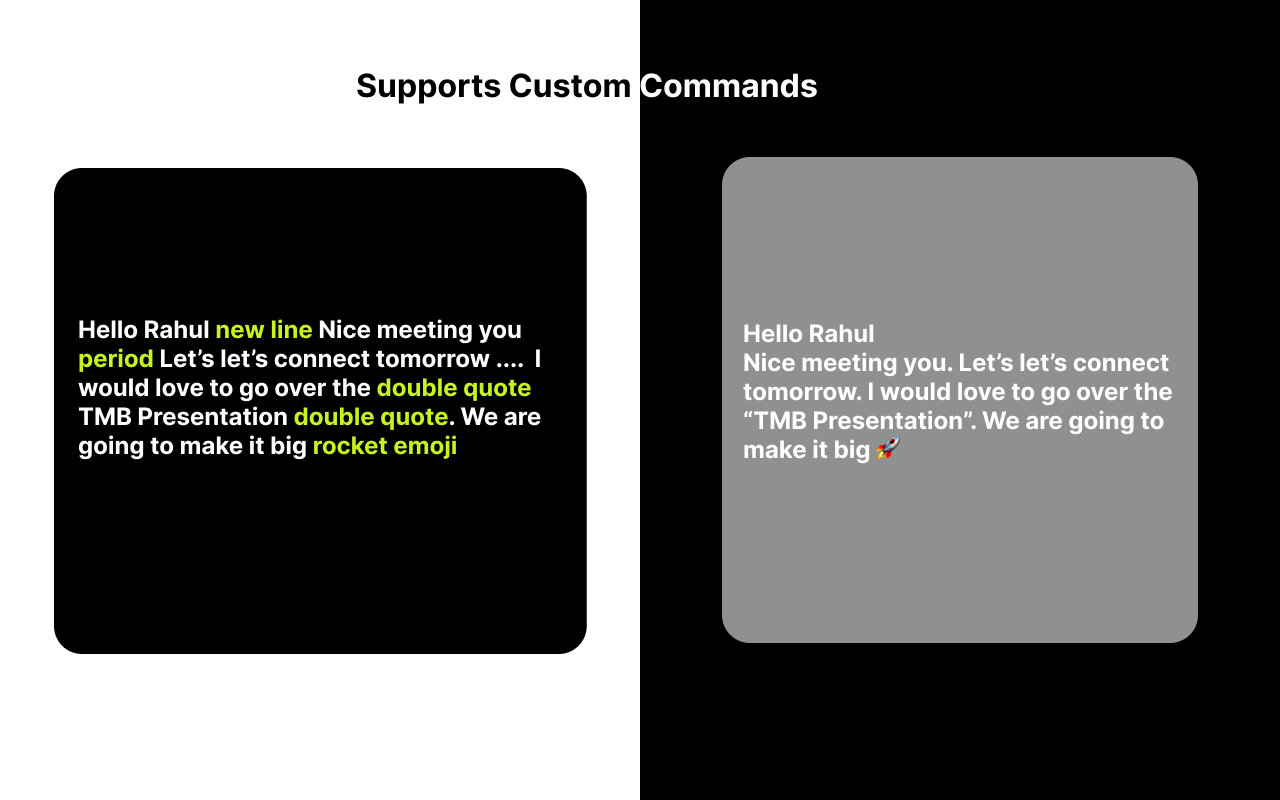
The other half of the product is spoken control. You can say new line, period, double quote or rocket emoji and get the real thing in the text, and you can register custom variables and custom prompts on top of that. This is the part of the old dictation tradition that most of the new AI dictation apps dropped, and Dictation Daddy kept it.
Source: Dictation Daddy (chromewebstore.google.com)
Pricing in 2026
The plans on the site are Solo and Team, with Enterprise on request.
Solo is $15 a month, or $99 a year, which works out at roughly $8 a month if you pay up front. Team is $18 a month or $149 a year. There are also five year licences, $399 for Solo and $599 for Team, which is an unusual thing to offer and a reasonable one if you have decided this is your dictation tool for good.
Every plan starts with a seven day free trial and the site says no credit card is required.
There is a bring your own key option. Point it at your own Groq API key and the company’s own per-word limits stop applying, at your own API cost. Their FAQ says OpenAI Whisper support for the same mechanism is coming. That is a good escape hatch for heavy users, and it also tells you the standard plans meter you.
Medical dictation is the real product
Look at the site’s own navigation and the shape of the business is obvious: there are pages for medical, for lawyers, for radiologists, and for writers. The medical page is the one doing the work.
Medical mode is a toggle in settings. Their documentation says drug names, anatomy, procedures and diagnostic terms are recognised without a training step, and that you can add specialty terms through the custom word list. Because the text is typed at the cursor, it goes into Epic, Cerner or athenahealth the same way it goes into Gmail. They also list support for the Philips SpeechMike and other hardware dictation handsets, which is the sort of detail that only appears when actual clinicians are using something.
On storage, their FAQ is direct: no audio recordings are kept, and the voice is transcribed and the audio discarded immediately. HIPAA and BAA agreements are described as available for Enterprise customers on request, which is a different thing from being HIPAA compliant out of the box, and worth reading carefully if that is your obligation.
| Dictation Daddy | Kana | |
|---|---|---|
| Medical terminology built in | Yes | No |
| Audio leaves your machine | Yes, transcription is cloud | Never |
| Platforms | Mac, Windows, Android, Chrome | Apple Silicon Macs only |
| Works with no network at all | No | Yes |
| Spoken formatting commands | Yes | No |
| Custom vocabulary | Yes | Yes |
| Bring your own API key | Yes, via Groq | No |
| Account required | Yes | No |
| Cost to dictate | From $99 a year after a 7 day trial | $9.99 once, unlimited |
What Dictation Daddy does better than Kana
Medical terminology. Kana has no answer to this at all. Not a weaker version, none. Kana ships one speech model per language and a custom vocabulary list you fill in yourself. If your working day is full of drug names and procedure codes, that list is not a substitute for a mode built for it, and no amount of local processing makes up the difference.
Spoken commands and formatting control. Saying double quote and getting a curly quote, or running a custom variable by voice, is a real workflow for people who dictate all day. Kana inserts what you said and applies an optional rewrite. It does not listen for commands.
It runs almost everywhere. Mac, Windows, Android, and a Chrome extension for anything else, with iOS listed as coming. Kana is Apple Silicon only, with no Intel build, no Windows, no phone app and no web version. If your day crosses machines, the comparison is finished before it starts.
There is a company behind it. Support desk, enterprise compliance conversations, five year licences, dedicated pages for four professions. That is a different kind of product to a menu bar utility, and for some buyers it is the deciding factor.
Where an on-device Mac app wins
The trade Dictation Daddy asks you to make is that your voice goes to a server. Their policy on not keeping it is clear and stated, and for most work that is fine. For some work it is not permitted at all, and the policy is not the point: the upload is.
Kana never makes that upload. Transcription runs on the Neural Engine, in English and 17 other European languages on Parakeet, in Japanese on a second Parakeet model built for it, and in Chinese and Korean on Apple’s SpeechAnalyzer, 22 languages in total. Dictation makes zero network calls, and that is checked in our CI rather than written on a page.
Dictation is unmetered, so there is no plan to size and no per-word limit to think about. File transcription is included too, with SRT, VTT and Markdown export. Kana is $9.99 once, and AI rewriting is the one subscription, at $4.90 a month or $49 a year, covering three Macs, and you can read the detail on the pricing page.
The app bundle is 6.5 MB with no background service, no login item and no account. The speech model is a separate download of about 480 MB, so the install is not 6.5 MB in total, but nothing runs when you are not dictating.
We have not benchmarked the two against each other, so there is no accuracy chart here. The Kana and Dictation Daddy comparison sets the two out side by side, including the row where Dictation Daddy wins outright.
Who should use Dictation Daddy
- You dictate clinical notes and need medical terminology without a separate purchase
- You work in Epic, Cerner or athenahealth and want text typed straight into them
- You use a Philips SpeechMike or similar handset
- You need Windows, Android or a Chrome extension as well as a Mac
- You want spoken formatting commands, custom variables and custom prompts
- You want a vendor with a support desk and enterprise compliance options
Who should use Kana instead
- Your audio is not allowed to leave the machine, or you would rather it did not
- You are on Apple Silicon and only on Apple Silicon
- You dictate general work text rather than specialist vocabulary
- You want dictation to be $9.99 once and unmetered rather than a plan with a word budget
- You also transcribe recordings and want subtitle export without a paid tier
- You want an app with no account and nothing running in the background
FAQ
How much does Dictation Daddy cost?
Solo is $15 a month or $99 a year. Team is $18 a month or $149 a year. Five year licences are $399 for Solo and $599 for Team, and Enterprise pricing is on request. All plans start with a seven day free trial with no credit card.
Does Dictation Daddy work on a Mac?
Yes, there is a Mac app, along with Windows, Android and a Chrome extension. Its FAQ lists iOS as coming. Recognition happens in the cloud on all of them, so it needs a connection.
Is Dictation Daddy HIPAA compliant?
Their FAQ says compliance options and BAA agreements are available for Enterprise customers on request, and that no audio recordings are stored. If HIPAA is a requirement rather than a preference, that is a conversation to have with them before you buy, not an assumption to make.
Is there a cheaper alternative to Dictation Daddy for Mac?
Kana is $9.99 once for dictation and file transcription, and runs the model on your Mac. It has no medical mode and no Windows version, so it is a replacement for the general dictation half of Dictation Daddy and not for the clinical half.